| Below the instructions to follow when the MyGenius tool goes into the "MANUALE (0x00EE)" status: |
|
| MYGENIUS CLIENT |
| MYGENIUS CLIENT V2 |
|
MYGENIUS CLIENT:
|
|
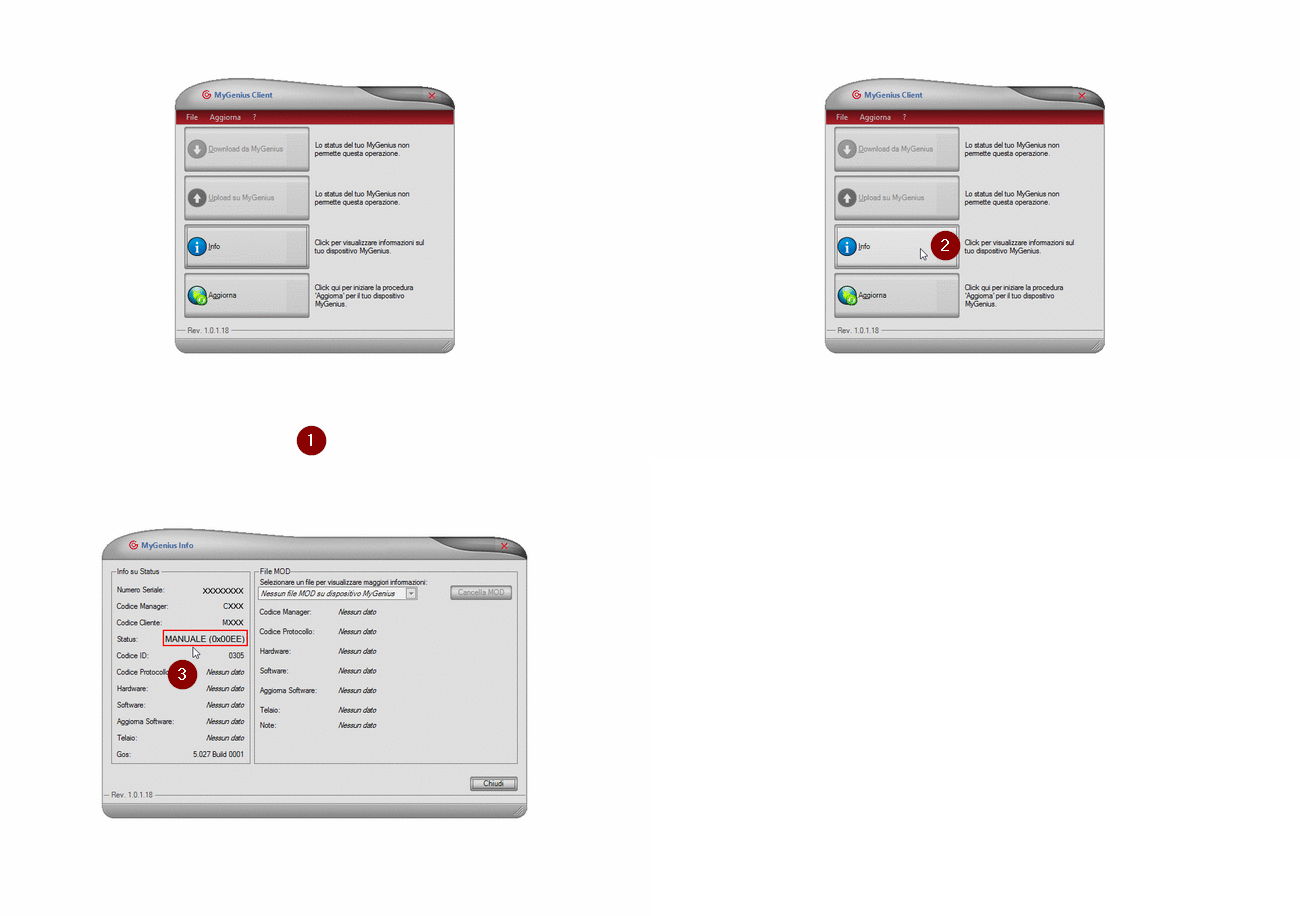
| The tool goes in the "MANUALE (0X00EE)" status when the system can't automatically identify the ECU. This happens when the identification numbers are not present in the Dimsport databank. |
|
| Follow the instructions here below on how to proceed. |
|
| 1. Check the status of your My Genius unit to confirm. |
|
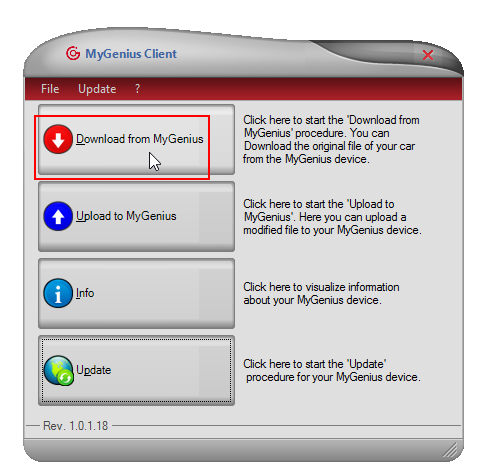
| 2. Download the ID file from My Genius and send it to your Master via email. |
 |
| 3. The Master will notify you when the setting file is available in the databank. |
ATTENTION: after the confirmation from your Master, you MUST wait AT LEAST 30 minutes before moving to next steps. |
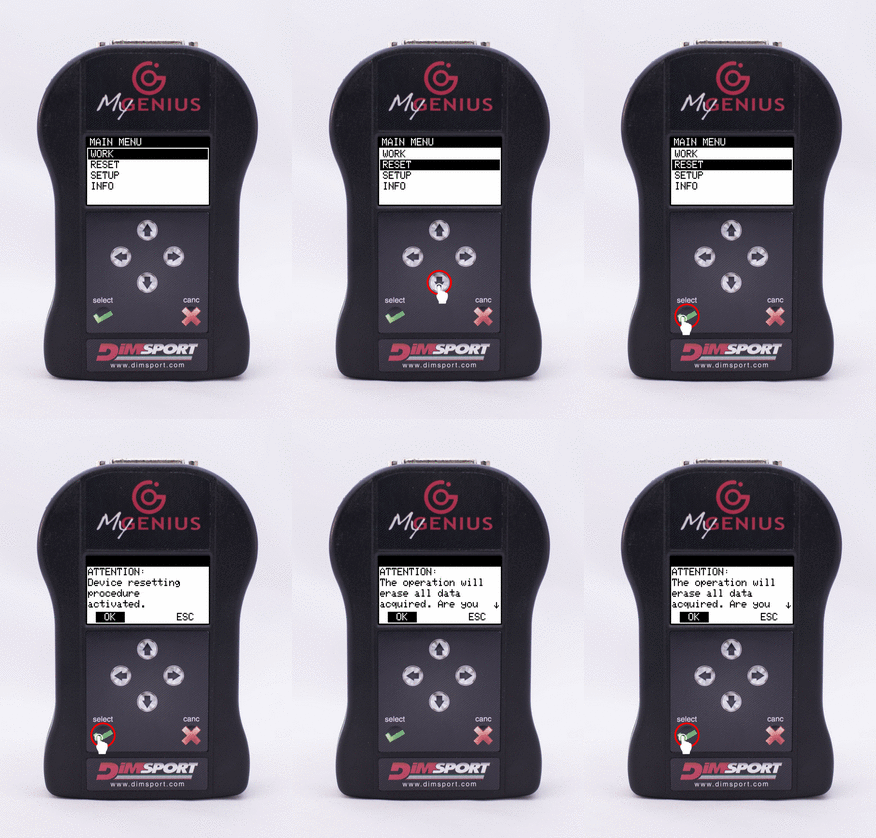
4. Reset the device.
|
|
 |
|
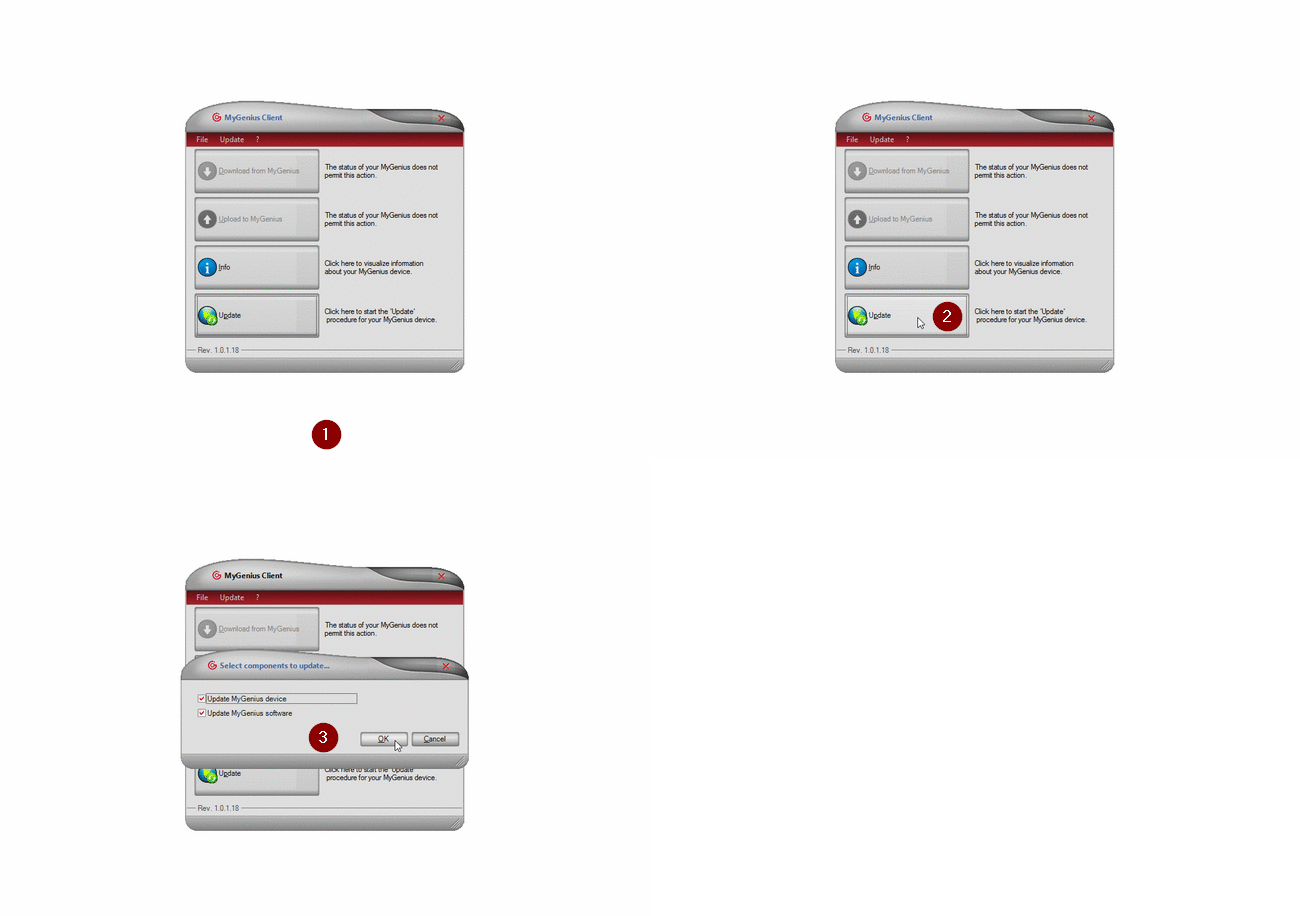
| 5. Perform a full update. |
 |
| 6. Perform again the identification (ID) of the vehicle. |
| N.B. Now the identification will be automatically carried out. If it's still performed manually, you have to contact your Master. |
| 7. Download the ID file, send it to your Master via email (see step number 2) and wait for the modified file (_MOD.FPF) from the Master. |
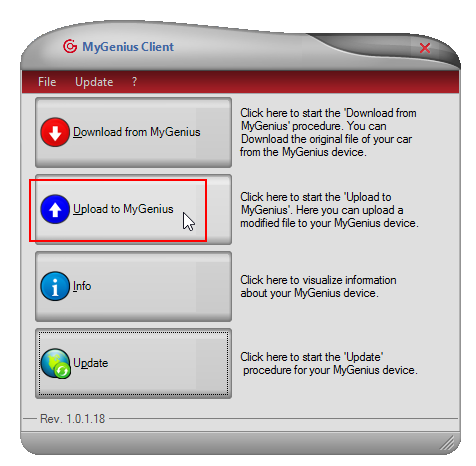
| 8. Lastly, upload the .FPF file and write it into the ECU. |
|
 |