The starting condition is: MOD file successfully written on the vehicle.
|
|
When the vehicle is scheduled for servicing at the dealership, the Client, before leaving the vehicle to the dealer, reflashes the stock file back to it. During the service, the ecu of the vehicle is likely to be reflashed with an updated software version. The Client (although not knowing if the Ecu has been reflashed with an updated software) tries to reflash the ecu with the Mod file. The My Genius warns the client that the file is no longer compatible. |
|
Being the unit status WRITE (07DD), in order to communicate again with the Ecu and read the new stock file present in the vehicle, the My Genius will need to be reset via a FORCED reset
|
|
The steps the MyGenius Clients have to follow are explained below.
|
|
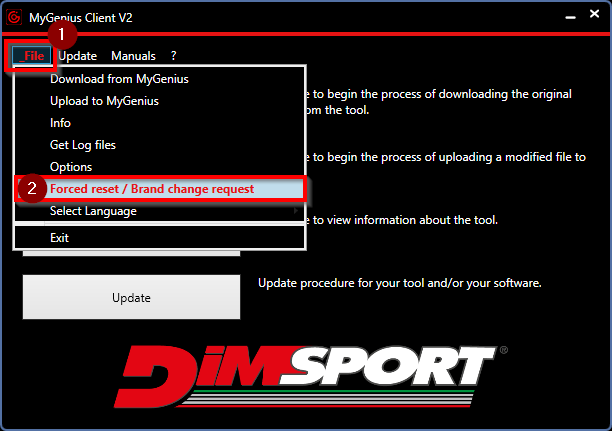
1. Plug the MyGenius tool to the PC and start the MyGenius Client software, Select File (1) and click Forced reset / Brand change request (2).
|
|  |
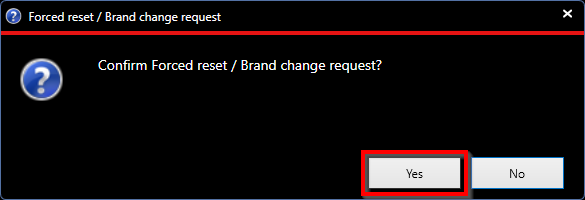
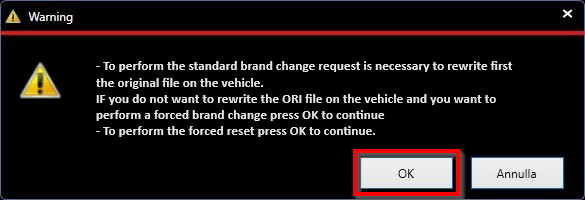
| | 2. Confirm both the POP UP windows in order to start the Forced reset operation. |
|  |
|  |
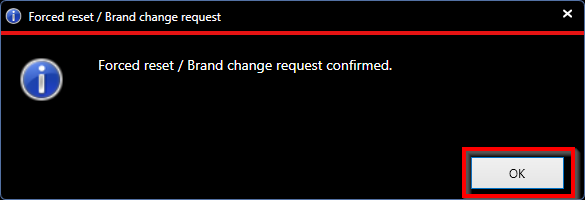
| 3. If the request is successfully sent to your Master this message appears.
|
|
 |
| 4. Inform your Master about he Forced reset request and wait for his response.
|
| 5. The Master will communicate you when he finished to process your request. |
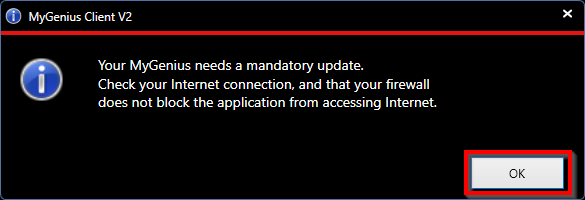
| 6. Upon confirmation, the client must perform a full MyGenius Client V2 software update in order to unlock the MyGenius tool and perform a new vehicle reading. |
|  |
|