ATTENZIONE: la sezione Public mostra solo parte degli articoli disponibili, eseguire il login come cliente per accedere a tutti i suggerimenti e soluzioni.
ATTENTION: the Public section shows only part of the available articles, log in as a customer to access all the suggestions and solutions.
ACHTUNG: der frei zugängliche Bereich zeigt nur einen Teil der verfügbaren Artikel. Loggen Sie sich als Kunde ein, um alle Vorschläge und Lösungen anzuzeigen.
ATTENTION: la section Public n’affiche qu’une partie des articles disponibles, connectez-vous en tant que client pour accéder à toutes les suggestions et solutions.
ATENCIÓN: la sección Pública muestra solo una parte de los artículos disponibles, inicie sesión como cliente para acceder a todas las sugerencias y soluciones.
ATENÇÃO: a seção Pública mostra apenas uma parte dos artigos disponíveis, faça o login como cliente para acessar todas as sugestões e soluções.


LOGIN
[HOW TO] Delete COOKIES from most common browsers to fix the access on the reserved area
Creation Time:
07 ottobre 2024
Last Update Time:
07 ottobre 2024
Article Level:
Public

Below the instructions on how to delete cookies for the DIMSPORT website on the most common browsers.
This procedure is needed in order to fix many of the problems that can occours during the access on the reserved area

ATTENTION
Before doing this procedure close all other browser instances/pages and write in the navigation 
www.dimsport.it 


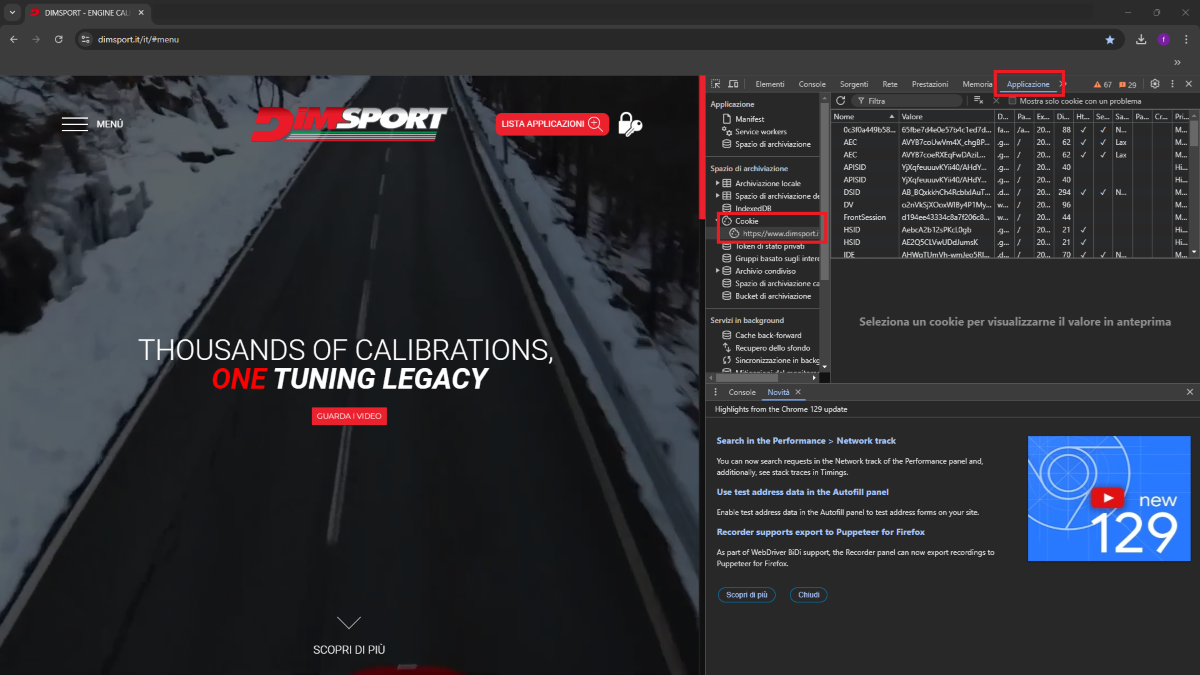
CHROME
  • Press "F12" on the keyboard
  • Click on "APPLICATION"
  • Double click on "COOKIE"
  • Look for "Dimsport" in the list and then right click on it and press "DELETE"

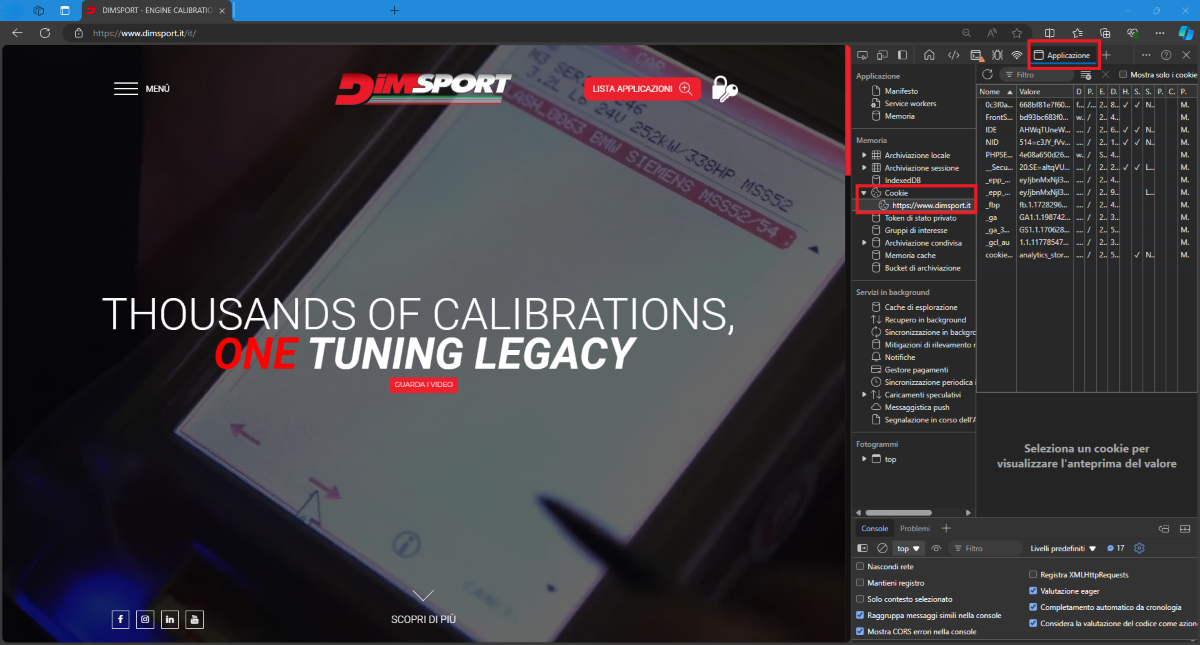
MICROSOFT EDGE
  • Press "F12" on the keyboard
  • Click on "APPLICATION"
  • Double click on "COOKIE"
  • Look for "Dimsport" in the list and then right click on it and press "DELETE"

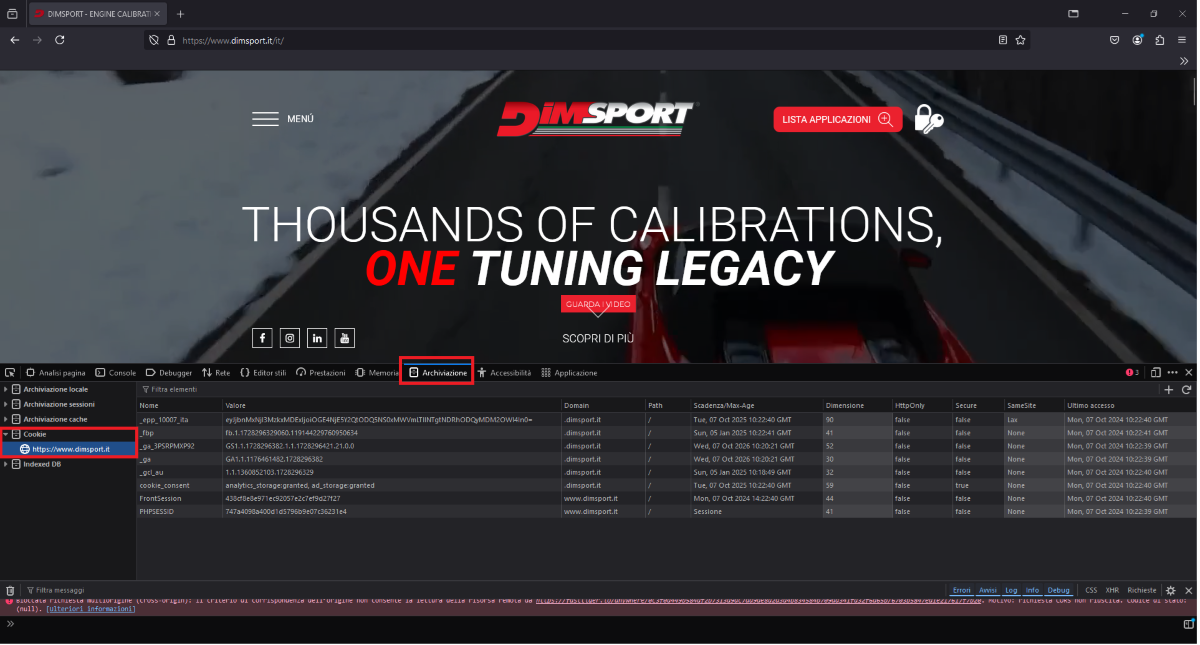
FIREFOX
  • Press "F12" on the keyboard
  • Click on "STORAGE"
  • Double click on "COOKIE"
  • Look for "Dimsport" in the list and then right click on it and press "DELETE"